 India
India  UK
UK USA
USA 
Choosing the right hosting isn’t just a technical decision—it’s a strategic one. Your hosting choice directly influences how fast your website loads, how secure it feels to visitors, how often it stays online, and how smoothly it grows with your ambitions. That’s why the question “WordPress Hosting or Web Hosting?” truly becomes the ultimate choice for your website.
At first glance, both options may seem interchangeable. After all, WordPress can technically run on most hosting plans. But once you look closer, the differences become clear—and those differences can shape your website’s success over time.
With WordPress powering over 40% of the internet, hosting providers have evolved their offerings to cater specifically to WordPress users. At the same time, traditional web hosting continues to serve as a flexible, budget-friendly foundation for countless websites. So which one actually works best for you?
This in-depth guide breaks down WordPress hosting vs web hosting, explores their advantages and limitations, and helps you confidently choose the hosting solution that aligns with your goals.
Listen To The Podcast Now!
What Is Web Hosting?
Web hosting is the service that makes your website accessible on the internet. When you purchase a web hosting plan, you’re renting space on a server where your website’s files, databases, and content are stored.
Web hosting is an umbrella term that includes multiple hosting types, each designed to support different levels of traffic, performance needs, and technical control. These plans are built to support a wide range of platforms—not just WordPress.
Common Types of Web Hosting
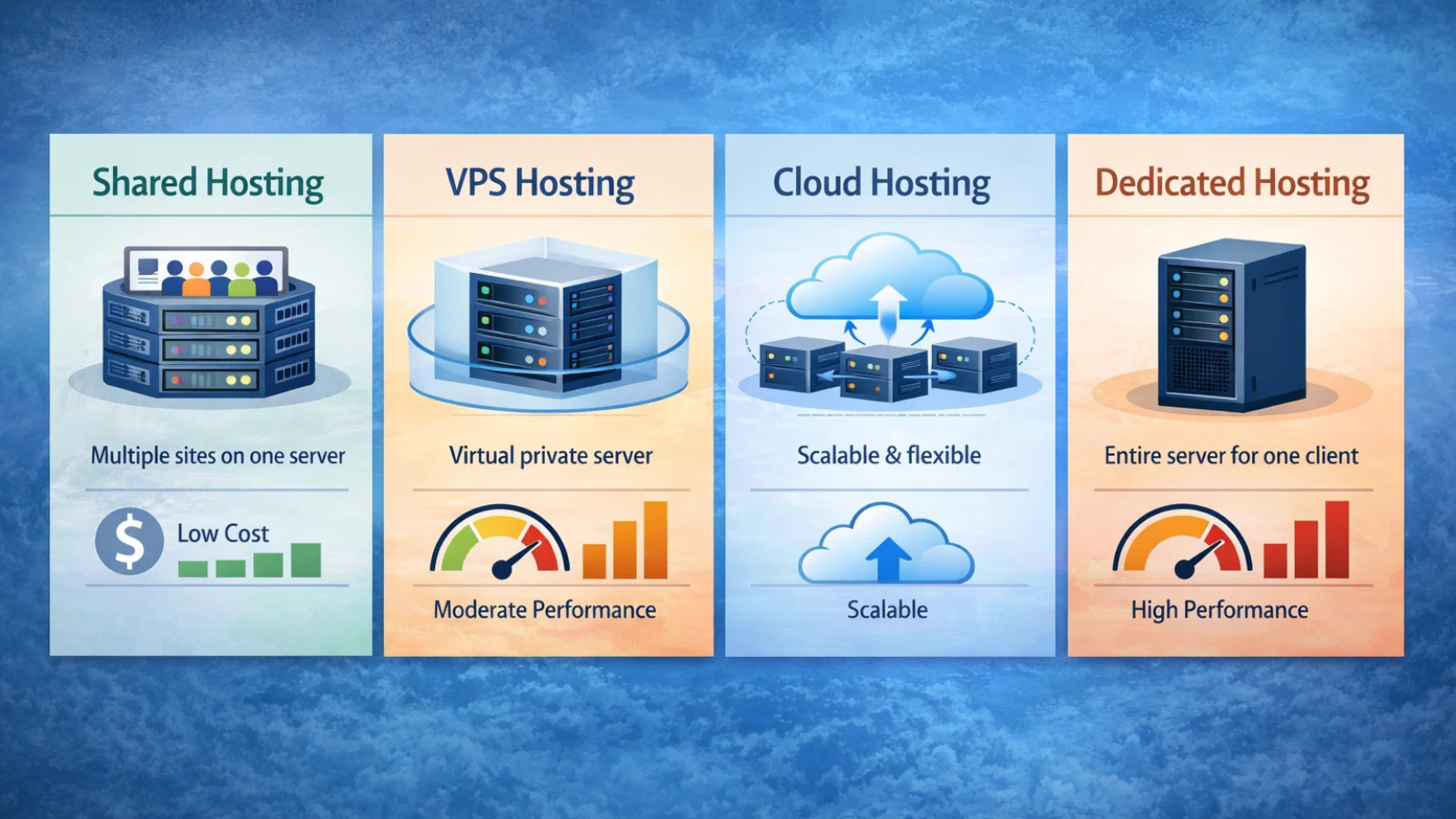
Shared Hosting
Shared hosting places multiple websites on the same server, sharing resources such as CPU, memory, and storage. It’s affordable and beginner-friendly, making it ideal for personal blogs, portfolios, and small business sites.
VPS Hosting
Virtual Private Server hosting divides a physical server into isolated virtual environments. Each site gets dedicated resources, offering better speed, stability, and control than shared hosting.
Cloud Hosting
Cloud hosting uses multiple interconnected servers to host a website. This setup improves uptime, handles traffic spikes efficiently, and allows flexible resource scaling.
Dedicated Server Hosting
Dedicated hosting assigns an entire server to a single website. It offers maximum performance, customization, and security, but requires higher budgets and technical expertise.
Advantages of Web Hosting
Web hosting remains popular because of its versatility and accessibility.
- Supports multiple CMS platforms and custom-built websites
- Affordable pricing options for beginners
- Greater control on VPS and dedicated plans
- Suitable for developers and technically confident users
- Often includes free domains, SSL certificates, and email hosting
For users who want flexibility or plan to manage several types of websites, web hosting provides a solid foundation.
Disadvantages of Web Hosting
While web hosting can run WordPress sites, it isn’t optimized specifically for them.
- Manual WordPress installation and configuration
- No WordPress-specific server optimization
- Users must handle updates, backups, and security
- Limited WordPress-focused support
- Performance depends heavily on user-side optimization
These limitations can become challenging for WordPress users who want a smoother, more hands-off experience.
What Is WordPress Hosting?
WP Hosting is a specialized form of web hosting designed exclusively for WordPress websites. Everything—from server configuration to support—is optimized around WordPress.
Although WordPress sites can run on regular hosting, website WordPress hosting environments remove many technical hurdles by offering pre-configured setups.
Typical WP Hosting features include:
- Pre-installed WordPress
- WordPress-optimized servers
- Automatic updates and backups
- Built-in caching and performance tools
- WordPress-specific customer support
This specialization makes WP Hosting an attractive option for users who value convenience, speed, and reliability.
Types of WordPress Hosting Explained
WP Hosting comes in multiple forms, each tailored to different website needs.
Shared WP Hosting
Shared WP Hosting places multiple WordPress sites on a single server, but the environment is optimized specifically for WordPress performance.
- Cost-effective and beginner-friendly
- One-click WordPress installation
- Suitable for low-traffic sites
- Limited resources during traffic spikes
Managed WordPress Hosting
Managed WP Hosting takes care of technical tasks such as updates, backups, caching, and security.
- Ideal for non-technical users
- Optimized performance without plugins
- Automatic maintenance and monitoring
- Higher cost than shared hosting
This option allows site owners to focus entirely on content and growth.
Dedicated WordPress Hosting
Dedicated WP Hosting assigns an entire server to one WordPress website.
- Maximum speed and performance
- Advanced security configurations
- Full control over server resources
- Best for high-traffic and enterprise sites
If performance and reliability are critical, dedicated WordPress Hosting delivers unmatched results.
Also Read: –
Everything You Need To Know About VPS Hosting And Virtual Servers
6 Major WordPress Factors To be Considered While Website Development
Advantages of WordPress Hosting
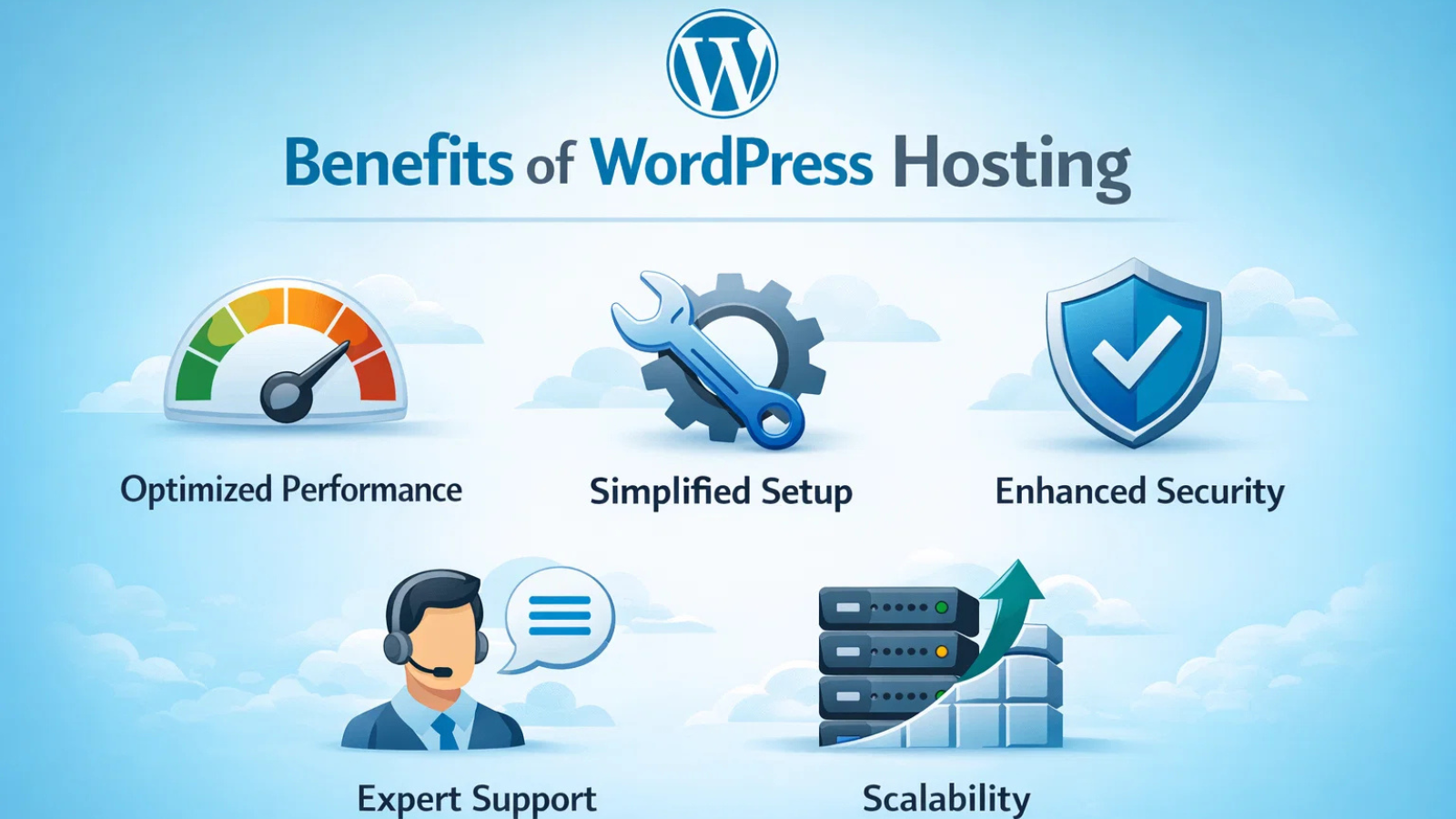
Choosing WP Hosting offers several practical benefits.
Optimized Performance
WP Hosting servers are tuned to run WordPress efficiently. Built-in caching, optimized databases, and performance tools help deliver faster load times.
Simplified Setup and Management
With WordPress pre-installed and updates automated, setup becomes effortless. Backups and maintenance run quietly in the background.
Enhanced Security
WP Hosting includes protections against WordPress-specific vulnerabilities. Automatic updates, malware scanning, and firewalls reduce risks.
Expert WordPress Support
Support teams are trained specifically to handle WordPress-related issues, ensuring faster problem resolution.
Scalability for Growth
As traffic grows, upgrading WP Hosting plans is seamless, making long-term scaling easier.
Disadvantages of WordPress Hosting
Despite its advantages, WP Hosting isn’t suitable for everyone.
- Generally costs more than basic shared hosting
- Limited support for non-WordPress projects
- Some plans restrict certain plugins or configurations
For users who want full platform flexibility, traditional web hosting may still be preferable.
WordPress Hosting vs Web Hosting: A Clear Comparison
The fundamental difference lies in specialization.
Web hosting offers flexibility and platform freedom. WP Hosting offers focus and optimization. Both can host WordPress websites, but WP Hosting removes many technical responsibilities.
If convenience, speed, and WordPress-specific features matter most, WP Hosting stands out. If flexibility and cost control are your priorities, web hosting remains a strong contender.
Choosing the Right Option for Your Website
Picking the right hosting depends on your website’s needs. Here are the key factors to consider:
1. Website Type
If you’re building a WordPress-only site, WP Hosting offers smoother performance and better compatibility. If you want flexibility to use different platforms, general web hosting is a safer choice.
2. Technical Involvement
Managed WordPress hosting handles updates, backups, and security for you. Standard web hosting may require more hands-on management, which could be time-consuming if you’re not tech-savvy.
3. Budget
Shared web hosting is usually more affordable at the start, while WordPress hosting may cost more but includes optimized speed, security, and dedicated support—potentially saving headaches later.
4. Growth and Performance
If you expect high traffic or rapid growth, WP Hosting scales easily and keeps your site fast. Web hosting can work, but upgrades and optimizations may require extra effort.
5. Support and Features
WP Hosting often includes specialized support and WordPress-focused tools like staging, plugin management, and pre-installed SSL certificates. Web hosting may not offer these, meaning more manual setup.
Choose WordPress hosting for convenience, speed, and WordPress-focused features. Opt for web hosting if flexibility and cost control are your top priorities.
Services like Globussoft’s OptraCloud simplify the decision by providing managed WordPress hosting that handles updates, backups, and performance optimization out of the box.
OptraCloud: One-Click WordPress Hosting With Unlimited Possibilities
Looking for fast, reliable, and hassle-free WordPress hosting? Globussoft’s OptraCloud provides a complete hosting solution with powerful features, expert support, and budget-friendly pricing—perfect for beginners, bloggers, and businesses alike.
Why OptraCloud’s WordPress Hosting Stands Out
OptraCloud combines speed, security, and seamless WordPress management to give you the best hosting experience without technical headaches:
- One-Click Installation: Deploy WordPress instantly—no tech skills required.
- WordPress Toolkit: Manage themes, plugins, backups, and updates easily from a single dashboard.
- Servers Across India: Host locally for low-latency performance and better user experience.
- 24/7 Priority Support: Expert WordPress support is always available, anytime, anywhere.
Powerful Features for Your WordPress Website
- Effortless Migration: Free website migration and domain setup with zero downtime.
- Optimized for Performance: OpenLiteSpeed, LSPHP, and OPcache ensure fast, smooth loading.
- Regular Backups: Automatic backups with one-click restore for peace of mind.
- Advanced Caching Solutions: Litespeed Cache and OPcache PHP accelerator for peak efficiency.
- 99.9% Uptime Guarantee: Keep your website live and thriving.
- Instant Provisioning & Scaling: Start in seconds and scale resources as your traffic grows.
Is WordPress Hosting Worth the Investment?
With WordPress dominating the CMS landscape, hosting providers have refined WP Hosting to address real-world challenges. For most users—especially beginners, bloggers, and businesses—WP Hosting saves time, improves performance, and reduces maintenance stress.
Options like managed WordPress hosting and dedicated WordPress hosting deliver long-term value when performance and reliability matter.
Final Verdict: The Ultimate Choice Depends on Your Goals
Web hosting gives you freedom. WP Hosting gives you focus.
If WordPress is the core of your website, WP Hosting is often the smarter long-term investment. It enhances performance, strengthens security, and simplifies management.
However, if flexibility, experimentation, or tight budgets guide your decisions, traditional web hosting continues to be a reliable option.
Ultimately, the right choice isn’t about trends—it’s about choosing the hosting that supports your website’s present needs and future growth.
Frequently Asked Questions
Which is better: WP Hosting or web hosting?
It depends on your website’s goals. If your site is built entirely on WordPress and you want better performance, security, and minimal technical work, WordPress hosting is the better choice. Web hosting works well if flexibility, lower cost, or hosting multiple platforms is your priority.
Does WordPress host websites?
No. WordPress is a content management system, not a hosting provider. You need a hosting service—either WP Hosting or standard web hosting—to make your site live.
Can I use web hosting for a WordPress website?
Yes, WordPress can run on regular web hosting. However, you’ll need to manage updates, security, backups, and performance optimization manually.
Do I need managed WordPress hosting as a beginner?
Managed WP Hosting is ideal for beginners because it handles technical tasks automatically, allowing you to focus on content and design instead of maintenance.
What is the difference between managed WP Hosting and dedicated WordPress hosting?
Managed WP Hosting focuses on convenience and maintenance, while dedicated WP Hosting provides an entire server optimized for WordPress. Dedicated hosting is best for high-traffic or enterprise websites.
Can I switch from web hosting to WordPress hosting later?
Yes. Most providers offer migration services, making it easy to upgrade as your website grows.
Quick Search Our Blogs
Type in keywords and get instant access to related blog posts.


 +91 8767115115