 India
India  UK
UK USA
USA 
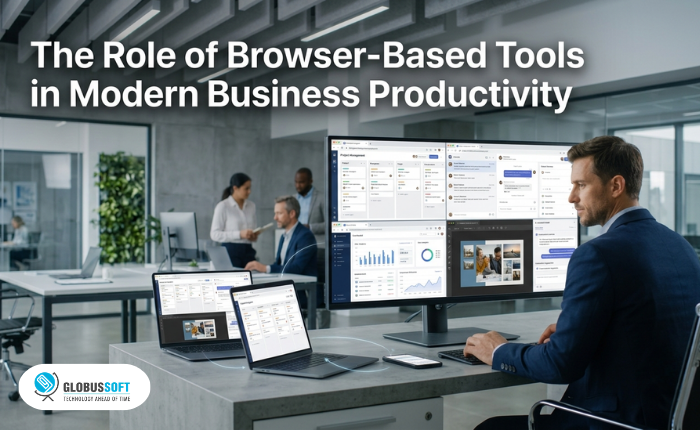
Businesses today rely on a wide range of digital tools to manage operations, communicate with customers, and improve productivity. However, as software requirements continue to grow, companies often face challenges related to installation, maintenance, device limitations, and complicated workflows.
Traditional desktop applications have played an important role in business operations, but modern teams increasingly need tools that provide flexibility and faster access. Employees work across different locations, use multiple devices, and collaborate with teams that may not always be in the same office.
This shift has increased the demand for browser-based tools that allow businesses to complete tasks directly through the web without depending on complex software setups.
Browser-based platforms are helping organizations reduce software dependency, improve accessibility, and create more flexible workflows across different departments.
What Are Browser-Based Tools?
Browser-based tools are software solutions that run directly through a web browser instead of requiring users to download and install applications on individual devices.
These platforms allow users to access their work through a browser using an internet connection. Businesses can use them for various tasks, including:
- Project management
- Communication
- Document creation
- Design and creative work
- Data analysis
- Marketing activities
Unlike traditional software, browser-based tools are not limited to a single device. Employees can access the same platform from different computers, making them useful for remote teams and businesses with flexible work environments.
Why Businesses Are Moving Toward Browser-Based Solutions
The way companies work has changed significantly. Teams now need tools that support faster collaboration, easier access, and efficient workflows.
Browser-based solutions provide several advantages that make them suitable for modern businesses.
Reduced Software Installation and Maintenance
One of the biggest challenges with traditional software is managing installations across multiple devices.
Businesses often need to:
- Install applications on employee systems
- Manage software updates
- Maintain compatibility between devices
- Troubleshoot technical issues
Browser-based tools reduce these challenges because most updates and improvements happen within the platform itself.
Employees can access the latest version of the software without waiting for manual installations or complicated updates.
Better Accessibility Across Devices
Modern businesses are not limited to traditional office environments. Employees may work from offices, homes, coworking spaces, or different locations while collaborating on the same projects.
Browser-based tools allow users to continue their work across different devices without being tied to one computer.
This flexibility is especially valuable for:
- Remote teams
- Distributed organizations
- Freelancers
- Businesses with multiple locations
The ability to access important tools from different environments helps teams maintain productivity.
Improving Collaboration Between Teams
Collaboration has become an essential part of modern business operations.
Traditional software workflows often require users to share files manually or transfer projects between different systems. This can slow down communication and create unnecessary delays.
Browser-based platforms create a more connected workflow where teams can access projects, review changes, and continue working together more efficiently.
For example, creative teams can collaborate on content projects without requiring every team member to have the same software installed locally.
How Browser-Based Tools Support Creative Workflows
Creative teams often work with large files, multiple revisions, and frequent updates. Video production, design, and marketing teams need solutions that help them move faster while maintaining quality.
Modern browser-based creative tools help teams create, edit, and manage content without depending on expensive hardware or complex software environments. These tools make creative workflows more accessible by allowing teams to work directly from their browsers while keeping projects flexible.
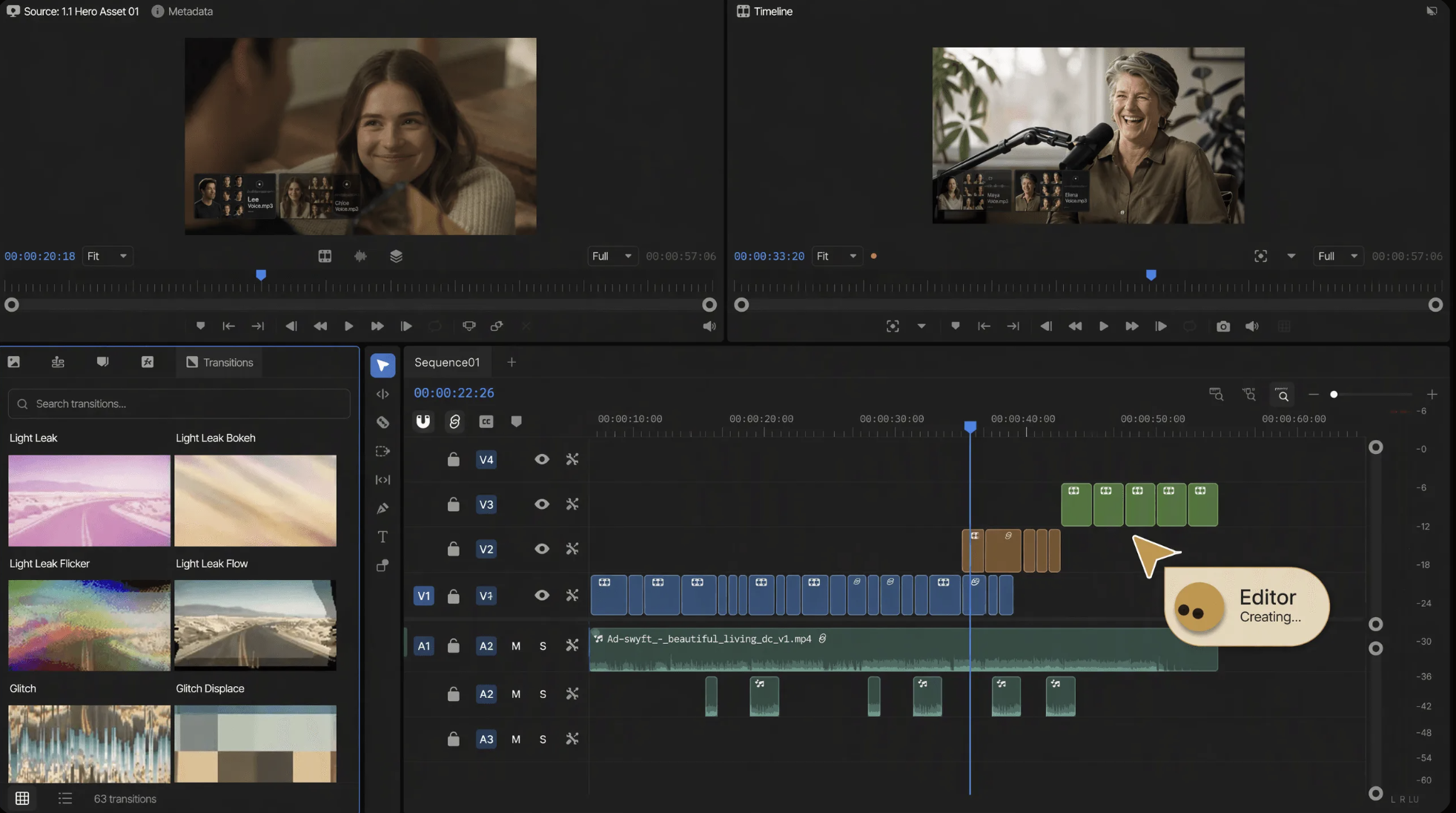
Invideo editor brings this approach to video production by combining a professional editing timeline with AI editing agents. Creators can assign tasks such as reviewing footage, organizing clips, removing repetitive sections, and preparing edits while keeping every change visible and editable inside the project.
For businesses that need a flexible way to create and refine video content, a browser-based video editor allows teams to edit videos online, add captions, adjust scenes, improve audio, and manage creative workflows without relying on traditional desktop software.
This approach helps businesses produce marketing videos, tutorials, product demonstrations, and social media content with fewer technical limitations while allowing creative teams to focus more on storytelling and decision-making.
How AI Is Making Browser-Based Tools More Powerful
Artificial intelligence is adding new capabilities to browser-based platforms by helping users complete repetitive tasks faster.
AI-powered tools can support workflows such as:
- Automating repetitive actions
- Understanding user instructions
- Improving content creation
- Organizing information
- Suggesting improvements
Instead of replacing human decision-making, AI helps reduce the time spent on operational tasks.
Invideo editor combines AI editing agents with a professional timeline, allowing creators to provide direction, review changes, and refine their projects while maintaining control over the final output.
This type of workflow allows businesses to combine automation with human creativity.
Benefits for Different Business Teams
Browser-based tools can support different departments within an organization.
Marketing Teams
Marketing teams can create campaigns, manage content, and collaborate on creative assets without relying on complex software setups.
Sales Teams
Sales teams can quickly access presentations, customer materials, and communication tools from different devices.
Creative Teams
Designers and video creators can work on projects without requiring every team member to use high-end systems.
Remote Teams
Distributed teams can access the same platforms and maintain productivity regardless of location.
The Future of Browser-Based Business Tools
As businesses continue adopting flexible work models, browser-based tools will become increasingly important.
Future platforms will focus on combining accessibility with advanced features such as artificial intelligence, automation, and real-time collaboration.
The goal is not only to make software easier to access but also to help businesses complete work faster and more efficiently.
Companies that adopt flexible digital workflows can reduce unnecessary technical barriers while giving employees better tools to complete their tasks.
Conclusion
Browser-based tools are changing how businesses approach productivity by reducing software dependency and improving accessibility. Instead of relying only on traditional desktop applications, organizations can use flexible platforms that support modern workflows.
From collaboration and communication to creative production, browser-based solutions help teams work more efficiently across different environments.
Tools like invideo editor show how online platforms can combine accessibility with advanced AI assistance, allowing businesses to create content, manage workflows, and complete projects while keeping control over their creative decisions.
As digital work continues to evolve, browser-based tools will remain an important part of building flexible, scalable, and productive business operations.
Quick Search Our Blogs
Type in keywords and get instant access to related blog posts.


 +91 8767115115