 India
India  UK
UK USA
USA 
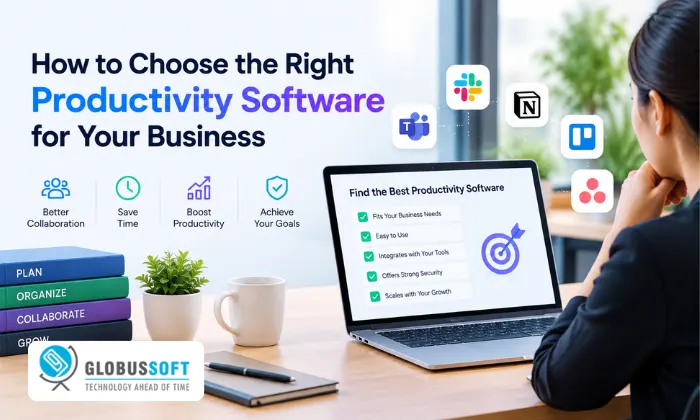
Every business reaches a point where growth creates its own friction. Tasks fall through the cracks, communication fragments across too many channels, and nobody has a clear picture of what’s actually getting done. The right productivity software solves that. It brings structure to how work is organized, tracked, and completed without adding more meetings or more overhead. But choosing productivity software isn’t straightforward. The market is crowded with options that all promise more output and less chaos, and the difference between a tool that transforms a team and one that creates a new layer of busywork is harder to spot than most vendors would have you believe. This guide breaks down what to look for, which categories matter most, and how to match the right solution to how your business actually works.
Why Most Productivity Software Fails to Deliver
The most common reason these tools fail is misalignment between what the software does and what the team actually needs. A project management platform that’s perfect for a software development team is often wrong for a sales team. A communication tool that works beautifully for a remote startup creates noise and fragmentation in a hybrid enterprise.
Before evaluating any tool, the most valuable thing you can do is map your actual friction points. The right productivity software solves a specific, measurable problem, not the most popular one.
The Main Categories of Productivity Software
Productivity software covers a wide range of tool types. Understanding the main categories helps you evaluate options against your actual needs rather than feature lists.
- Task and project management: Tools like Asana, ClickUp, and Monday.com help teams organize, assign, and track work. Best for teams managing multiple concurrent projects with clear deliverables and deadlines.
- Communication and collaboration: Slack, Microsoft Teams, and Notion bring team conversations, documents, and decisions into shared workspaces. Most valuable when remote or hybrid teams need a reliable async communication layer.
- Time tracking and workflow automation: Tools that log time against tasks and automate repetitive handoffs between systems. Critical for service businesses billing by the hour or operations teams managing high-volume routine processes.
- AI-powered workflow automation: The fastest-growing category. Custom-built AI agents that run recurring business processes autonomously from inbox triage and lead qualification to content pipeline management and daily briefings.
Best Productivity Apps: What Separates Good From Great
The best productivity apps share three qualities that separate them from tools that look impressive in a demo but underdeliver in daily use.
First, they fit into how your team already works rather than requiring the team to change its behavior to accommodate the software. Second, they produce measurable outputs: time saved, errors reduced, and decisions made faster, not just activity metrics that look busy without driving results. Third, they integrate cleanly with your existing stack. A tool that works in isolation but creates a new data silo adds friction rather than removing it.
Adoption is the ultimate test. The best productivity apps are the ones people actually open every morning and use without being reminded.
Productivity Monitoring Software: Understanding Output, Not Just Activity
As remote and hybrid work have become permanent for most businesses, productivity monitoring software has gone from a niche category to a mainstream tool. But the way it’s implemented determines whether it builds a healthier team or creates a surveillance culture that drives resentment and turnover.
The most effective productivity monitoring software tracks outputs, completed tasks, response times, project milestones, and workflow completion rates rather than screenshots, mouse movements, or application usage logs. Teams respond far better to monitoring that helps them understand their own patterns and improve than to systems that feel like surveillance.
Used well, monitoring data identifies imbalances in workload distribution, flags bottlenecks before they compound, and gives managers objective data for performance conversations that would otherwise be uncomfortable and subjective.
Employee Productivity Monitoring Software: Getting Implementation Right
The difference between employee productivity monitoring software that builds trust and software that erodes it comes down almost entirely to transparency and purpose. When employees understand what’s being tracked, why it’s tracked, and how the data will be used and when they can see their own data, most teams accept monitoring as a reasonable part of working in a structured organization.
When monitoring feels hidden, punitive, or disproportionate to the role, it creates exactly the disengagement it’s supposed to prevent. The most successful implementations tie monitoring data to team-level improvement rather than individual surveillance, making it a tool for removing friction rather than applying pressure.
How to Evaluate Business Tools Before Buying
Before committing to any productivity software, five questions consistently separate the right choice from a costly mistake:
- Does it solve your specific bottleneck? Describe the exact problem you need solved. If the vendor can’t show you precisely how their tool addresses it, move on.
- How does it handle adoption? Ask about onboarding time, training resources, and average time-to-value. Tools with long ramp-up times often get abandoned before they deliver results.
- What does the integration layer look like? Confirm it connects to your CRM, communication tools, and data systems without heavy engineering effort.
- How is data handled? For monitoring software especially, confirm what data is collected, how it’s stored, who can access it, and what the data retention policy is.
- What does pricing look like at your scale? Per-seat SaaS pricing that looks reasonable at 10 users becomes a significant line item at 100. Model the total cost at your current headcount and your expected headcount in 18 months.
How Globussoft AI Builds Productivity Software That Actually Fits Your Business
Off-the-shelf productivity software solves common problems well. But when your workflows are specific to your business, when the bottleneck is a process no generic tool addresses, or when you need AI to run a workflow autonomously rather than assist with it, Globussoft builds the system from the ground up and ships it in weeks, not quarters.
Founded by Sumit Ghosh (Chingari, EmpMonitor, PowerAdSpy, 40+ products, 100M+ users, 300+ engineers led), Globussoft AI embeds a senior engineering pod directly into your stack, building AI agents that run inside your actual operations from day one.
Here’s what Globussoft AI builds for business productivity:
- Inbox Intelligence Agent – Reads every message across your mailboxes, applies priority labels, archives noise, and delivers a morning digest of the items that need your attention every day, without prompting.
- Content Pipeline Watcher – Monitors content-team channels for published, scheduled, and stalled work; nudges owners on late items; gives editorial a live board without status meetings.
- CRM Audit + Daily Call List Agent – Cross-references pipeline data, builds a priority-ranked lead list, and posts to your sales channel with owner assignments every morning, automatically.
- Customer Chat Monitor – Watches WhatsApp, Telegram, and in-app threads every 15 minutes, flagging silent conversations, escalations, and sentiment shifts before customers churn.
- Sales Activity Digest – End-of-day rollup of all rep activity posted to leadership with clear signals on performance and coaching needs no manual compilation).
- Executive Briefing Agent – Reads all agent outputs, your calendar, and priority queues daily, delivering the 3–5 things that need your attention that morning.
- Three Engagement Tiers – Sprint (4-week fixed scope, working system in production), Embedded Pod (rolling 3-month minimum, weekly ship cadence), Fractional CTO (1 day/week with Sumit personally).
- Full IP Transfer – You own all source code. No vendor lock-in, no ongoing platform fees after delivery.
- Starts in 2 Weeks – Sprint engagements begin in 2 weeks. The first agent ships within 30 days of scoping.
Building a Productivity Stack That Scales
No single tool solves every productivity challenge. The businesses with the most effective setups combine a small number of well-integrated tools that address distinct needs—task management, communication, monitoring, and automation rather than dozens of partially overlapping applications creating data silos and context-switching overhead.
Start with one category, measure the impact, and expand only after adoption is solid. The most productive teams aren’t the ones using the most tools; they’re the ones using fewer tools more consistently and more effectively.
Conclusion
Choosing the right productivity software starts with understanding your actual friction points, not with browsing feature lists. Whether you need a well-integrated SaaS stack or a custom-built AI agent system that runs your workflows autonomously, the goal is the same: less time managing work, more time doing it.
Frequently Asked Questions
Q1. What is productivity software?
Productivity software is any tool that helps individuals or teams organize, track, communicate, and complete work more efficiently, from task management and collaboration platforms to AI-powered workflow automation systems.
Q2. What are the best productivity apps for small businesses?
The best productivity apps for small businesses combine low onboarding friction with strong integration tools like ClickUp, Notion, or Slack for general use, plus AI-powered automation for recurring workflows.
Q3. What should I look for in employee productivity monitoring software?
Look for output-based tracking rather than activity surveillance, transparency with employees about what’s measured, and data that connects to team-level improvement rather than individual pressure.
Q4. When does custom-built AI make more sense than a generic business tool?
When your workflow is too specific for a generic tool, when multiple systems need to work together without manual handoffs, or when you need AI to run a process autonomously rather than just assist with it.
Quick Search Our Blogs
Type in keywords and get instant access to related blog posts.


 +91 8767115115